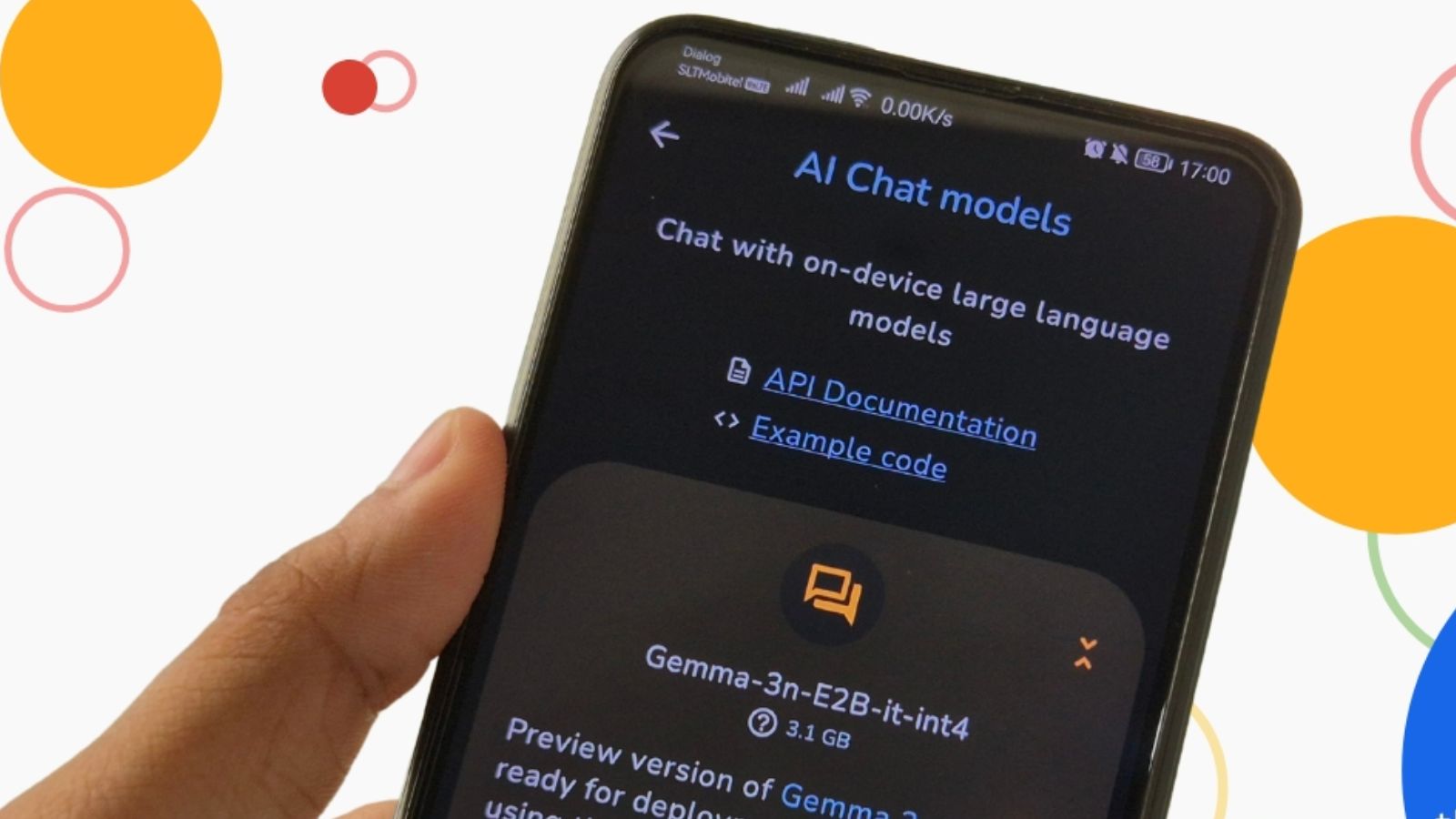
Did you know Google has released a cool new app that lets you run AI models right on your phone, without needing the internet?
It’s called Google AI Edge Gallery, and it quietly launched just last week. Right now, it’s available for Android users, and iOS support is coming soon. The app gives you access to a wide range of AI tools from Hugging Face, a famous platform where developers share open-source AI models.
Latest Article:
So, what does it actually do?
This app lets you download and use AI models that can:
- Generate images
- Answer questions
- Write and fix code
- Do many more smart tasks — all offline!
Yes, you read that right. These AI tools work even if you don’t have Wi-Fi or mobile data because they run using your phone’s built-in processing power.
Why Use AI Without the Internet?
Ever felt uneasy about sending personal data to cloud servers just to get a smart reply?
That’s where this app becomes a game changer. It will give you more privacy and control by running everything locally — no data going back and forth over the internet.
What do you think? Wouldn’t it be better if your AI tools stayed right on your phone?
Update (July 2026): The App Has Moved On Since Launch
A few things have changed since this app first came out. It’s no longer Android-only or GitHub-sideload-only — it’s now available on both the Google Play Store and the Apple App Store, so most people won’t need to sideload anything anymore. Requirements are Android 12+ or iOS 17+.
The model lineup has moved on too. The original Gemma 3n models are now joined by the newer Gemma 4 family (currently the app’s flagship models, with a “Thinking Mode” feature that starts with this family) and FunctionGemma 270m, a smaller model built specifically for on-device “mobile actions” style tasks.
Google has also bumped the project from experimental alpha to Beta, meaning it’s stable enough for regular use, though still evolving.
What’s Inside the App?
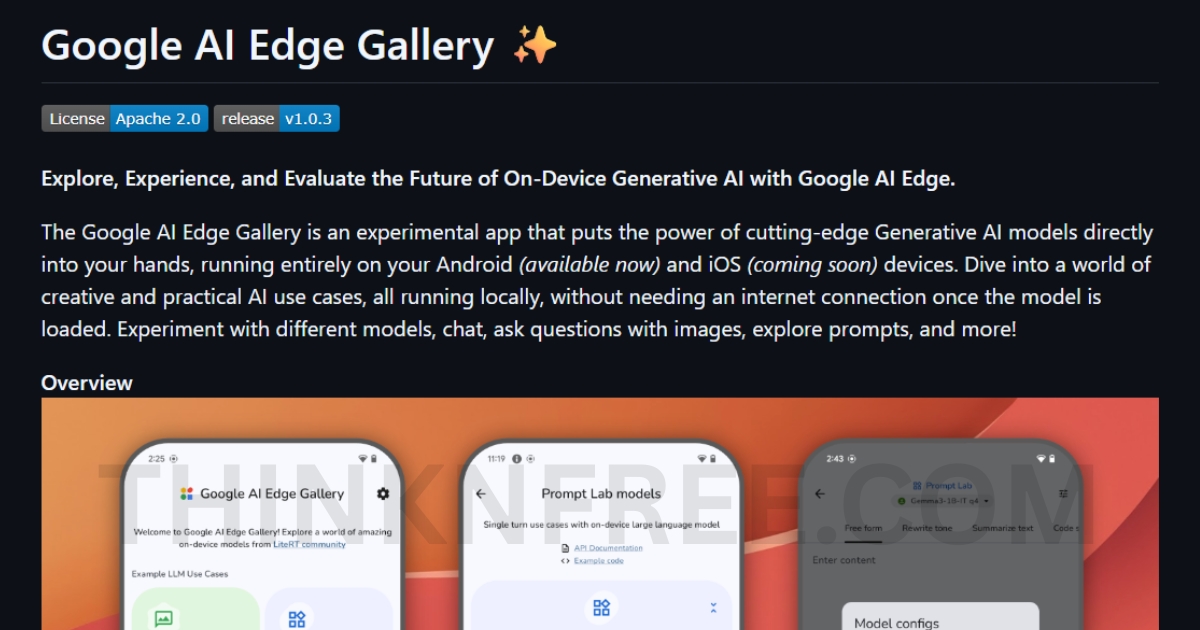
When you open the Google AI Edge Gallery, you’ll see easy shortcuts for tasks like:
- AI Chat
- Ask Image
- And more.
When you tap on one, it shows you a list of compatible models — like Google’s Gemma 3n — ready to use for that task.
There’s also a cool feature called Prompt Lab. Using that, you can try out tasks like rewriting text, summarising content, and testing other cool ideas. You can even change settings to fine-tune how the model works for you.
How to Install Google AI Edge Gallery
On Android: the simplest route now is installing directly from the Google Play Store. If you’d rather sideload the APK manually (useful on older devices or if it’s not in your region’s Play Store yet), you can download it from the project’s GitHub releases page instead. Either way, you’ll need Android 12 or newer.
On iPhone: it’s now on the App Store directly — no more waiting. You’ll need iOS 17 or later.
Once installed, pick a task (AI Chat, Ask Image, or Prompt Lab), and the app will show you which compatible models you can download and run for that task.
Will It Work on All Phones?
Well, that depends.
Google has already said that performance will vary. By the way, If you’re using a newer phone with a strong processor, you’ll see faster results. But if your device is older, it may take a bit longer, especially when using bigger models.
Still, the fact that it works offline is pretty amazing, right?
Want to Try It Out?
You can download the Google AI Edge Gallery from GitHub. Yes, it’s still in experimental alpha mode, but developers are encouraged to explore it and give feedback. Google released it under the Apache 2.0 license, so you can even use it for commercial projects.
What is Apache 2.0? It simply means you’re free to use the app in most situations without restrictions.
FAQ
Is Google AI Edge Gallery free? Yes — it’s released under the Apache 2.0 license, so it’s free to use, including for commercial projects.
Does it work without an internet connection? Yes, that’s the whole point — once a model is downloaded, everything runs locally on your device with no data sent to the cloud.
Will it drain my battery or use a lot of storage? Running AI models locally does use more processing power and storage than a cloud app, and Google notes performance depends on your device — newer phones with stronger processors will run models faster than older ones.
Is it available on iPhone yet? Yes — as of this update, it’s available on the Apple App Store for iOS 17 and up.
Final Thoughts
So, is this the future of AI on smartphones? Google might just be setting the stage for a world where powerful AI works directly on your device, safely and privately.
Did you know something like this was already possible?
What do you think — will you try this new AI app?
Related reading:
Artificial Intelligence Versus Machine Learning: Explained
Best Australian Universities for a Computer Science Degree in 2025
What Happens If You Cancel Google One?

I’m a tech-savvy writer and passionate software engineer who loves exploring the intersection of technology and creativity. Whether it’s building efficient systems or breaking down complex tech topics into simple words, I enjoy making technology accessible and useful for everyone.





Leave a Reply